Virtual Streaming Project
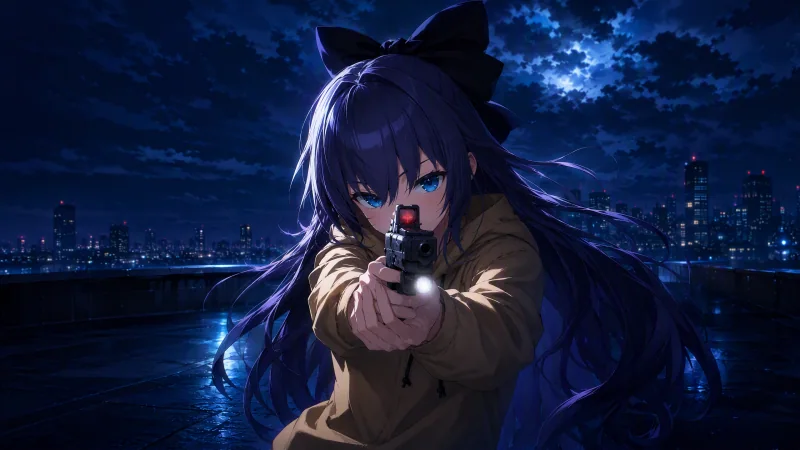
UE5 FPS-Oriented Virtual Streaming
A real-time virtual avatar system built with Unreal Engine 5, designed for FPS game streaming and recording. Supports OBS transparent-background capture and can switch to a desktop-pet mode — practical and fun.
Highlights
-
Works with every game Driven by low-level mouse data, the avatar mirrors the player’s movement, aiming and firing in any FPS title — no game-specific hooks required.
-
Flexible animation switching Multiple animations and expressions built in (happy, blinking…), hot-swappable via shortcuts for non-combat moments such as chatting or waiting.
-
Face capture (optional) Real-time facial animation from an ordinary webcam, toggleable in one key for performance and privacy control.
-
Immersive feedback A flashy death effect plus a death counter for stream flair; sensitivity tuning and window controls for fine-grained control.
-
Dual mode
-
Streaming mode: transparent window background, composites straight onto gameplay in OBS.
-
Desktop-pet mode: stays transparent and always-on-top as a little desktop companion.
-
This project is powered by my open-source plugin GlobalInputBridge
Full Controls
Basic controls (FPS mirroring)
| Action | Shortcut |
|---|---|
| Move (up/down/left/right) | W A S D |
| Aim (hold) | Right mouse button |
| Fire | Left mouse button |
| Sprint (hold) | Shift |
| Crouch (hold) | Ctrl |
| Trigger death | Delete |
Character & feature controls
| Action | Shortcut |
|---|---|
| Enter/switch animation set (pick 1/2/3) | Alt+X → press 1/2/3 |
| Auto-blink (toggle) | Alt+V |
| Happy expression (toggle) | Ctrl+Alt+V |
| Show/hide death counter | Alt+H |
| Show/hide indicator | Ctrl+Alt+H |
| Aim sensitivity adjust | Alt+R |
| Reset death counter | Ctrl+Alt+R |
| Face capture (toggle) | Alt+P |
| Desktop-pet mode (toggle) | Ctrl+Alt+P |
| Block left-click passthrough (toggle) | Alt+B |
| Zoom camera (hold on character) | C |
Window & camera controls
| Action | Shortcut |
|---|---|
| Restore default window size/position | Ctrl+Shift+R |
| Reset to initial window state | Ctrl+R |
| Rotate character view | Middle-drag the character |
| Drag the whole window | Right-drag the character |
| Enlarge/shrink window | + / - |
| Quit entirely | Ctrl+Q |